Back Seat Navigator
- 3.2
- Rating
- 100.00K
- Installs
- Free
- Price

 Analysis by App-foxy
I approached Back Seat Navigator as a deliberately different kind of Maps & Navigation app. Instead of trying to sound calm and perfectly neutral, it is built around the idea of a passenger who comments on the journey. That personality is the reason to try it, but it is also the first thing that determines whether you will enjoy using it. If you want a conventional route planner that quietly gets you from one address to another, this is probably the wrong starting point. If you like the thought of navigation with an opinionated back-seat voice, it has a clear identity that most alternatives do not attempt.
I found the appeal easiest to understand during ordinary drives rather than long road trips. A familiar route can become repetitive, especially when one person is driving alone, and a more playful navigation companion can make the experience feel less mechanical. The trade-off is that personality has to fit your mood. A joke or complaint may be entertaining on a relaxed trip and irritating when you are already dealing with traffic, an unfamiliar interchange, or a tight arrival time.
How the app feels when you start navigating
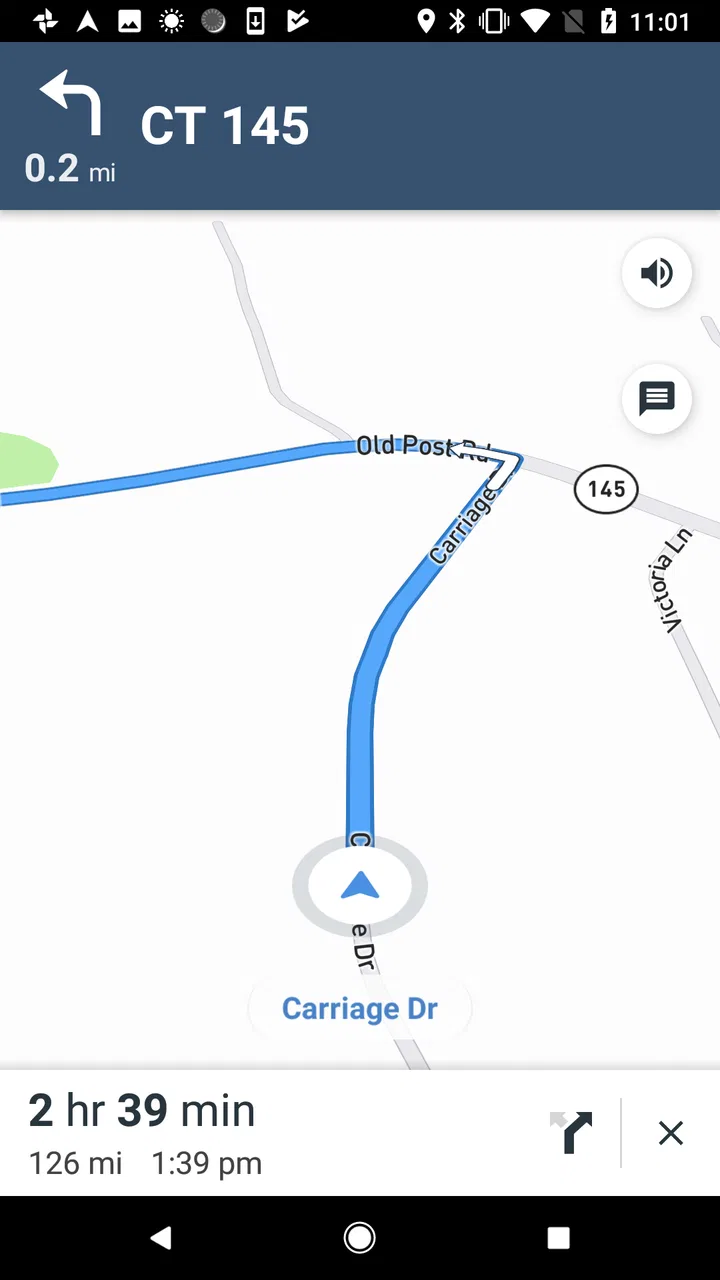
The basic expectation is straightforward: you install a free navigation app from Affiliated Apps LLC, enter a destination, and experience directions through the “back seat navigator” concept rather than through a purely functional voice. The store summary openly frames it as navigation that complains, so the unusual tone is not a minor extra hidden behind an otherwise ordinary product. It is the central reason this app exists.
You May Also Like

 Blood Strike: 2.5 Anniversary
Blood Strike’s Loadouts Turn Every Drop Into a Tactical Gamble
A close look at Blood Strike’s custom loadouts: how fast access to signature weapons reshapes its battle royale rhythm, rewards preparation, and narrows the gap between fights.

 Pandora - Music & Podcasts
Pandora’s Music Is Easy to Start, but Harder to Recover
Pandora’s strength is its low-effort path from a seed to a station. Its weak spot is how much confidence it asks you to place in connection, setup, and quiet recovery.

 8 Ball Pool
 Is Built on Rivalries, Rematches, and Routine
A close look at the rivalries, rematches, shared routines, and unanswered safety questions that turn a quick pool match into a persistent mobile community.

 Samsung Music
’s Quiet Strength Is Playing What You Already Own
Its reach comes less from spectacle than from dependable access to a personal library. That simplicity is both the app’s strongest retention engine and its ceiling.

 AccuWeather: Weather Radar
AccuWeather Review: A Quick, Clear Forecast for Everyday Decisions
For everyday plans, the best forecast is the one you can understand quickly. AccuWeather makes rain timing, radar, and local conditions easy to act on, with a few trade-offs.

 Hill Climb Racing
Why Hill Climb Racing Still Turns Crashes Into One More Run
A tiny car, a bumpy hill and one more upgrade: Hill Climb Racing keeps resurfacing because its simple chaos makes every near-miss feel personal.
More From Our News Desk



That makes the first few minutes important. I would not judge it only by whether it resembles a mainstream map service. Its job is not simply to compete on a familiar map interface. The more useful question is whether the commentary adds enough character to make routine navigation more enjoyable without getting in the way of decisions you need to make quickly.
In terms of perceived speed, I would keep expectations sensible. A navigation app has to feel ready when you need a direction, but this particular product is also presenting a character layer. Extra personality can make the experience feel busier than a silent map or a concise voice assistant, even when the route itself is perfectly usable. For me, the app makes more sense when I treat the commentary as an optional part of the journey rather than the only reason to trust every instruction.
There is also a practical distinction between route calculation and the way information is delivered. A standard map application usually prioritizes compact instructions, traffic context, alternate routes, and a large amount of supporting map data. Back Seat Navigator is more memorable because it changes the tone of the directions. That does not automatically make it faster, more accurate, or more comprehensive than the usual alternatives. It makes the act of following a route feel less formal.
Where its personality works best
I think the strongest use case is a familiar drive with one or more people who appreciate playful commentary. It can be a good fit for a road trip where the passenger experience matters as much as the route, or for someone who wants navigation to feel less like a utility running in the background. The concept is especially easy to share with friends because the voice and attitude become part of the conversation.
It is less convincing when every second matters. If I am driving through an unfamiliar city, I want instructions to be immediately clear, easy to hear, and free from anything that competes with lane decisions. In that situation, a conventional navigation service with a restrained voice and strong map context is usually the safer choice. The app’s character is a bonus only when it remains secondary to the road information.
A useful habit is to try it first on a route you already know. That lets you learn how the app communicates without making your first test a stressful trip. You can decide whether the tone is amusing, distracting, or simply not for you before relying on it for an airport run, an appointment, or a complicated unfamiliar destination.
What happens during heavier use
Longer journeys are where the concept can either become more valuable or wear thin. On a short trip, a few comments may feel fresh. Over a sustained drive, repetition and interruptions matter much more. I would use it for selected trips rather than assuming it should replace every navigation tool on the phone. Switching back to a quieter alternative for serious driving is not a failure; it is a sensible way to match the tool to the situation.
For a group, the app can work as a conversation starter. One passenger may enjoy the complaints while another may prefer to concentrate on the route. That creates a real social trade-off: the same feature that makes the app distinctive can become unwanted noise for the rest of the car. Agreeing on the tone before setting off is surprisingly useful, particularly when the driver is not the person who chose the app.
Another practical point is attention. Any navigation voice should be something you can understand without staring at the screen, and a humorous or expressive delivery can encourage people to listen more closely than they would to a plain instruction. That can be helpful, but it can also tempt passengers to focus on the performance instead of the road. I would keep the phone positioned safely and make route decisions from the spoken guidance and visible map, not from trying to interact with the app while moving.
If the journey involves frequent stops, detours, or changes of destination, I would be more cautious about treating it as a complete travel system. The app’s identity is clear, but a conventional navigation service may offer a more mature workflow for managing several stops, checking alternate routes, or comparing travel conditions. Back Seat Navigator is most attractive when its character enhances a simple journey, not when you need a full travel-planning workstation.
Stability and recovery in everyday situations
My reliability standard for a navigation app is higher than it is for a novelty app. A funny companion is welcome, but directions have to remain understandable when the driver misses a turn or the route changes. The sensible way to evaluate this app is to test recovery on a low-pressure trip: deliberately take a different street, pause briefly, or ignore an instruction and see how naturally the experience returns to the route.
I would not confuse a memorable voice with proof of dependable navigation. Those are separate qualities. The app’s average rating is 3.2 from around 600 ratings, with over 300 written reviews, which suggests that users have had mixed reactions overall. That does not tell me exactly why each person rated it as they did, but it is enough to avoid presenting the app as a universally polished replacement for established navigation tools.
Recovery also depends on how much patience you have with the app’s tone. When a route changes, a conventional assistant may simply announce the new direction. A character-driven navigator may make the moment feel more entertaining, but some drivers will want the shortest possible correction. If you are easily distracted by extra remarks, turn to a simpler navigation option for complicated routes and reserve this app for situations where the personality is genuinely welcome.
For troubleshooting, I would start with the basics rather than assuming the app is broken. Check that the phone has a clear view of the route, that audio is not being sent to an unexpected device, and that the app is being tested on a simple journey. If the experience feels slow or confusing only in a dense urban area, compare it with a mainstream navigation app on the same route. That comparison helps separate a route problem from a presentation problem.
Device age, software support, and resource expectations
The application supports Android devices running version 6.0 or later, so it is not limited to only the newest phones. That broad compatibility is useful for people who keep an older handset in the car as a dedicated navigation device. At the same time, an older phone may offer a less comfortable experience than a recent one, particularly if many other apps are open or the device is already struggling with map and audio tasks.
I would keep the phone’s condition in mind before blaming the app for every delay. A nearly full device, aggressive battery management, weak connectivity, or an old handset can affect any navigation product. Because Back Seat Navigator is intended for use while traveling, resource demands matter in practical ways: the phone must remain responsive, audio must be clear, and the device should not become so warm or busy that it affects other essential functions.
The current version is 2.31.16.306. I mention that because version information is useful when deciding whether an older device is worth testing, but I would still judge the actual experience on your phone rather than assuming that compatibility guarantees identical performance everywhere. Android devices vary considerably in memory, audio behavior, screen size, and background restrictions.
There is also a cost consideration beyond the free download. The app includes in-app purchases ranging from $3.99 to $29.99 per item. That means I would explore the free experience carefully before paying for anything. The right question is not simply whether the app is inexpensive to install; it is whether the additional purchase gives you something you will use on repeated drives. For an occasional novelty, the free portion may be enough. For regular use, review the purchase screen carefully so you know what you are adding and whether it changes the experience in a meaningful way.
The mature age rating of 17+ is another reason I would not install it casually on a family device without checking whether its tone suits everyone who may hear it. The app’s whole premise involves a complaining back-seat personality, so parents should treat the age label as relevant rather than assuming that a navigation tool is automatically suitable for children.
Who should choose it over a regular map app?
I would recommend giving it a chance if you enjoy personality-driven utilities, want a more playful companion for routine drives, or are looking for something to make a road trip feel less predictable. It is also a reasonable experiment for someone who already has a primary map service and wants a different voice for occasional journeys. In that role, it does not have to replace anything; it only has to make selected trips more enjoyable.
I would skip it if your priority is maximum efficiency, quiet instructions, detailed trip organization, or a highly mature navigation ecosystem. Drivers who need dependable lane guidance, extensive traffic tools, public transport planning, cycling information, or carefully managed multi-stop routes will probably be better served by a large established mapping platform. The app’s unusual personality cannot compensate for a missing workflow that you depend on every day.
It is also not ideal for anyone who dislikes being addressed by an app in a strong voice. Some people want navigation to disappear into the background. This product does the opposite: it asks you to notice the navigator. That is a creative choice, not a universal improvement, and I would be honest about that before recommending it to a friend.
A practical way to use it without making it your only navigator
My preferred approach is to treat Back Seat Navigator as a companion layer for low-risk trips. Start with a route you know, keep a conventional map app available for comparison, and pay attention to three things: whether directions arrive in time, whether the commentary distracts from decisions, and whether rerouting feels clear after a missed turn. Those tests tell you more than a quick glance at the store page.
For a weekend drive, I would set the destination before moving, place the phone where it can be seen without blocking the road, and let the driver focus on driving while a passenger handles changes. If the personality becomes tiring, switch to a quieter option rather than forcing the joke to last for the entire journey. The app is at its best when it adds atmosphere without becoming another task.
For an older Android phone, close unnecessary background apps, check the audio route before leaving, and use a short familiar trip as the first trial. This is not a special trick for one particular device; it is a sensible way to avoid confusing handset limitations with the app’s own behavior. It also gives you a chance to decide whether the screen and voice are comfortable enough for real use.
My performance verdict
Back Seat Navigator is a free navigation app with a very specific personality, and that focus is both its strongest feature and its biggest limitation. I like the fact that it is willing to make navigation feel conversational rather than pretending every trip must be silent and formal. The concept is easy to understand, memorable, and potentially fun on familiar drives or with friends.
My recommendation is conditional. Use it when you want character and can tolerate commentary; do not rely on it as your only solution for demanding navigation until you have tested its clarity and recovery on your own phone. Its 100K+ installs show that the idea has found an audience, while the mixed 3.2 average suggests that the experience will not suit everyone. I would download it for occasional entertainment, keep expectations realistic about speed and stability, and continue using a conventional map service when precision, route detail, or minimal distraction matters more than personality.
In short, this is not the app I would hand to someone asking for the most complete navigation system. It is the app I would mention to a friend who says ordinary directions feel dull and wants a navigator with an attitude. That is a narrower recommendation, but it is also the honest one: when the mood is right, the back-seat character is the point; when the trip is serious, simplicity wins.
FAQs for Back Seat Navigator
01What is Back Seat Navigator, and who is it designed for?
Back Seat Navigator is a navigation-focused app intended to help passengers follow a journey from the back seat while traveling by car. It can be useful for people who want to monitor the route, understand upcoming turns, or help the driver with directions without constantly handling the driver’s phone. It is especially practical on road trips, family journeys, and unfamiliar routes.
02Does Back Seat Navigator work without an internet connection?
Offline availability depends on the specific version and the navigation services used by the app. Before starting a trip, check whether maps or route information can be downloaded for offline use. If the app requires a live connection, areas with weak mobile coverage may limit map loading, route updates, or location sharing. It is wise to prepare the route in advance.
03Can the app be used safely while someone is driving?
Back Seat Navigator is better suited to passengers than drivers. A passenger can view the route and communicate relevant information, while the driver should keep attention on the road and avoid interacting with the phone. If you are driving alone, set up the destination and preferences before moving, use voice guidance when available, and follow local laws regarding phone use in vehicles.
04Does Back Seat Navigator require location access or other permissions?
The app may request location access to display the vehicle’s position, follow the route, and provide useful navigation information. Depending on its features, it might also request notification, network, or background activity permissions. Review each permission during installation and enable only what is necessary. Limiting location access can affect live tracking and route accuracy, particularly during an active journey.
05Is Back Seat Navigator free to download, and are there in-app purchases?
The download price and available features can vary between the Android and iOS versions, as well as between different releases. Check the app’s official store listing before installing it to confirm whether it is free, contains advertising, or offers optional purchases or subscriptions. Also review the privacy information and cancellation terms if the app presents a recurring payment.
Pros
- Works without needing constant driver interaction.
- Useful for passengers who want to explore routes and destinations.
- Can make long car journeys feel more engaging.
- Provides a different perspective on familiar roads.
- Simple concept that is easy to understand quickly.
Cons
- Its usefulness depends heavily on the passenger’s location.
- May become repetitive during routine or familiar trips.
- Some features may require a stable mobile connection.
- Not ideal for users traveling alone in the back seat.
- Accuracy can vary depending on available map data.

Back Seat Navigator
Gallery